Version 2.50

Reason for Overdue and delayed completion
Update Compliance->Overdue Compliance : New Action : Reason
When compliances are overdue , a maker can update reason for the same. Admin and checkers can then view the reason for delay.
The reason can be typed. Previously typed reasons are available to be selected in the drop-down to maintain consistency
When such overdue compliance is being completed, the reason for delayed completion can be given. By default the reason for overdue will be visible. if required it can be edited

Pop-Up Alert for Admin
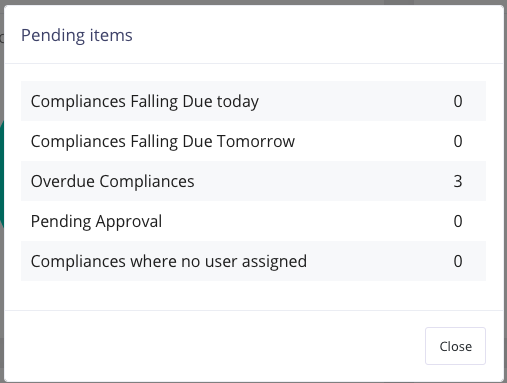
When Admin logs in for the first time on a day, a pop screen will show items requiring attention.
Create Compliance and Add to Entities
Add Compliance-> Create Compliance : New option : Create and Assign
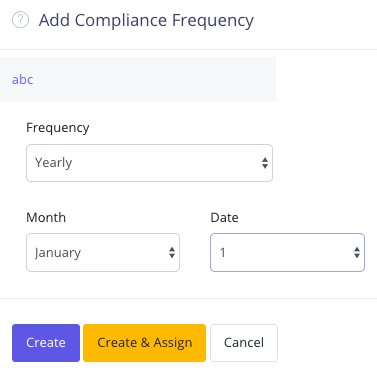
Once frequency of compliance has been added, you have two options
- Create : In this case the compliance will be created and action completed. In such a case, you will have to go to Assign Compliances->Assign to Entity to assign the compliance to entities
- Create & Assign : in this case, you will be presented with Compliance Period and Entity dropdown. You can assign this compliance to one/many entities.
Daily Admin Alert
Such email will now contain the following message at the top
xxx compliances have been assigned to entities but no user has been assigned. Please assign them to users else these cannot be completed